

For Canadian nonprofits, leaders often cut marketing budgets first when funds get tight. But imagine having $10,000 USD in monthly credit to promote your cause. This guide details exactly how to get a google ad grants for a non for profit in Canada, helping you secure the funding you need to reach more donors and volunteers on Search.
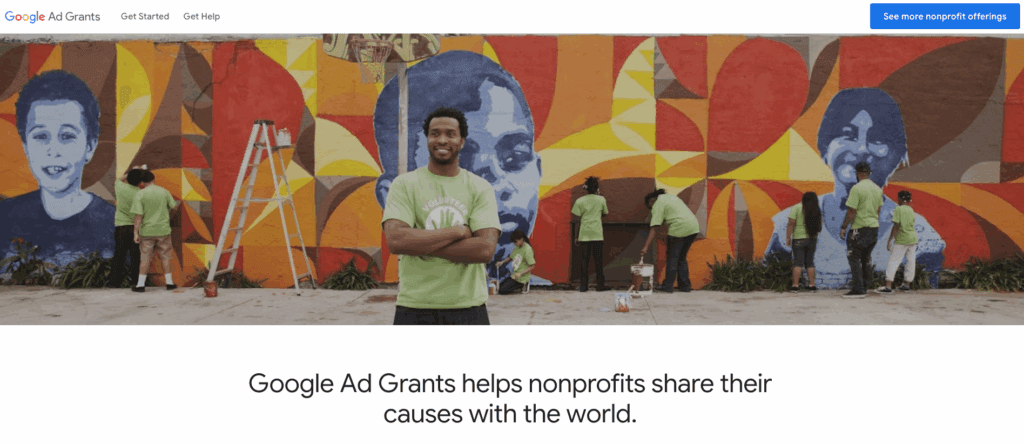
This is not a loan; it is the Google Ad Grant. It allows your organization to appear at the top of search results when donors, volunteers, and people in need are looking for you.
However, the application landscape in Canada has shifted. The move from TechSoup validation to Goodstack (formerly Percent) has changed how Canadian charities get verified. This guide cuts through the outdated advice to give you the exact roadmap to approval in 2026.
Eligibility on How to Get a Google Ad Grants for a Non for Profit in Canada
Before you apply, you must ensure you meet the strict technical criteria. Google’s system is binary, If you miss one check, the system rejects you.
Legal Status (The CRA Check)
To qualify in Canada, you must hold valid charity status.
- Registered Charity: You must hold a valid registration number with the Canada Revenue Agency (CRA). This is the “Happy Path” for instant approval.
- Federal Non-profit Corporation: In specific cases, federal nonprofits designated as tax-exempt can qualify, but this often requires additional documentation compared to a Registered Charity.
- Not Eligible: Government entities, hospitals, and schools (universities/colleges) are automatically disqualified. Note: Philanthropic foundations associated with hospitals or universities ARE eligible.
The Website “Health Check”
Your website is your application. Google’s bots review your site for quality before a human ever sees your application.
- Secure Domain (HTTPS): Your URL must start with
https://(look for the padlock icon). If your site is stillhttp://, Google automatically rejects the application. - Owned Domain: You must own your URL (e.g.,
www.yourcharity.ca). You cannot use a free subdomain likeyourcharity.wixsite.com. - Substantial Content: A “Coming Soon” page or a site with only 2-3 generic pages will fail. You need a robust explanation of your mission and programs.
- Commercial Limitations: If you sell products or services, you must clearly state how that revenue supports your mission.
- No Third-Party Ads: You cannot run Google AdSense or affiliate ads on your nonprofit website.
The New Verification Process (Goodstack)
Important Update: Many older guides tell you to “Get a TechSoup Validation Token” first. This has changed for Google.
While TechSoup Canada is still excellent for software discounts (Adobe, Microsoft), Google now uses a partner called Goodstack for their verification flow.
- No Token Needed: You do not need to hunt for a token before you start.
- Direct Integration: You will apply directly through Google for Nonprofits, and they will send your data to Goodstack to verify against the CRA database.
- Documentation: Goodstack may email you asking for your CRA Notification of Registration or a utility bill to prove your address. Watch your inbox (and spam folder) for emails from
goodstack.orgorpoweredbypercent.com.
Step-by-Step Application Guide
Follow these steps exactly to avoid the “Paid Account” trap.
Create a Google for Nonprofits Account
- Go to google.com/nonprofits and click “Get Started.”
- Sign in with a Google account (Gmail or Google Workspace) that is owned by your organization. Avoid using a personal email (like
volunteer.sarah@gmail.com) if possible; usecommunications@yourcharity.ca. - Follow the prompts to find your organization.
The “Waiting Game” (Verification)
- Log back into your Google for Nonprofits portal.
- Look for “Google Ad Grants” under the “Activate Products” section.
- Click “Get Started” and complete the eligibility form.
- Crucial: Google requires you to submit your website for review. Ensure your website is live and error-free before this step.
The Account Setup (The #1 Failure Point)
Google may ask you to create your Google Ads account now. ⚠️ Read this carefully:
- Currency: You must set the currency to USD (US Dollar). Even though you are in Canada, the Grant is issued in USD. If you select CAD, you will be disqualified.
- Billing Info: DO NOT enter any credit card information.
- If the system forces you to enter a credit card, you have accidentally created a Standard Paid Account. Stop immediately.
- A true Grant account will bypass the billing setup or have it pre-configured.
Compliance & Maintenance (Keeping the Grant)
Getting the grant is only Step 1. To keep it, you must treat it like a professional marketing channel.
- The 5% CTR Rule
- You must maintain a 5% Click-Through Rate (CTR) every month.
- If your CTR drops below 5% for two consecutive months, Google will temporarily suspend your account.
- Fix: Don’t bid on generic keywords. Instead of “volunteer,” bid on “volunteer opportunities in Toronto.”
- Conversion Tracking (Mandatory)Simply sending traffic to your homepage isn’t enough. Google requires you to track “meaningful actions” using Google Analytics 4 (GA4).
- Link your accounts: Connect GA4 to Google Ads immediately.
- Set up a goal: Ensure you track at least one conversion, such as a “Thank You” page view, a newsletter signup, or a PDF download.
- Canadian Geo-Targeting
- Unless you are an international aid organization, do not target the whole world.
- Google requires your ads to be relevant. Target Canada specifically, or even better, target the specific provinces or cities where you operate.
- No Single-Word Keywords
- You cannot bid on single words like “Charity”, “Donate”, or “Housing”.
- You must use phrases (e.g., “donate to women’s shelter”, “affordable housing support”).
Troubleshooting: Common Rejection Reasons
If you receive a rejection, it usually stems from one of these three reasons:
- The “Professional Organization” Trap: Goodstack sometimes misclassifies nonprofits as “Professional Organizations” (like a medical society) rather than charities. You can appeal this by showing your public benefit.
- Website Errors: Broken links (404 errors) or an insecure site (HTTP) are automatic rejections.
- Affiliation Proof: If a volunteer applies on behalf of the org, Goodstack may reject it. It is safer to have a staff member or board member apply.
Need Help Maximizing Your Grant?
If you are still unsure how to get a google ad grants for a non for profit in Canada without errors, our team can handle the entire verification process for you. We navigate the complex application steps and compliance requirements on your behalf, ensuring your organization secures approval quickly and correctly.
Once approved, the real work begins. We also help nonprofits take the best from the program by professionally managing your campaigns. Our experts optimize your strategy to ensure every dollar of your $10,000 monthly budget drives meaningful results—whether that is more donations, volunteer sign-ups, or greater awareness for your cause.